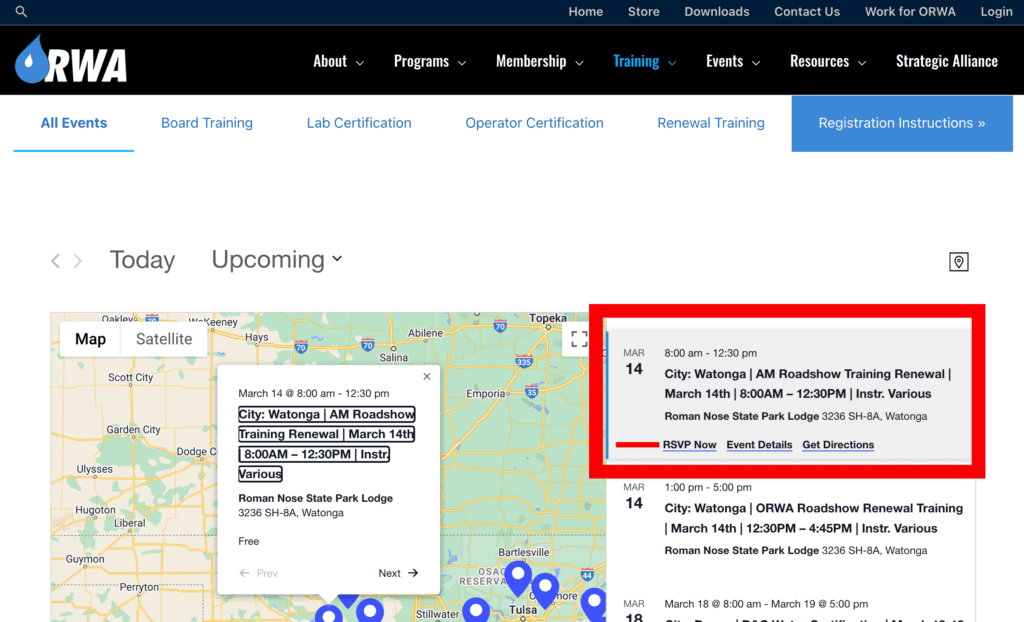
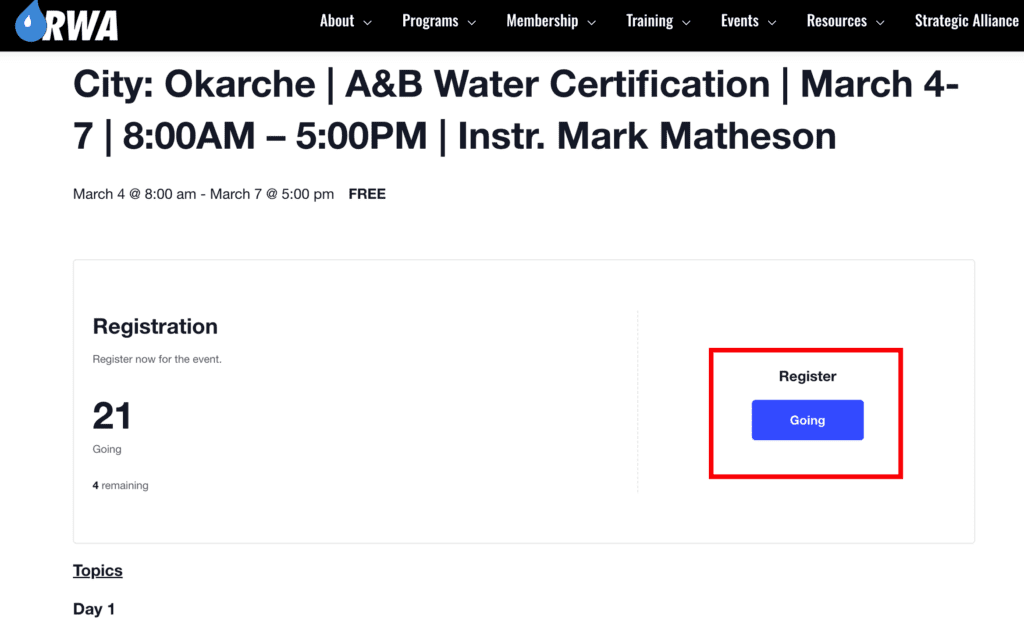
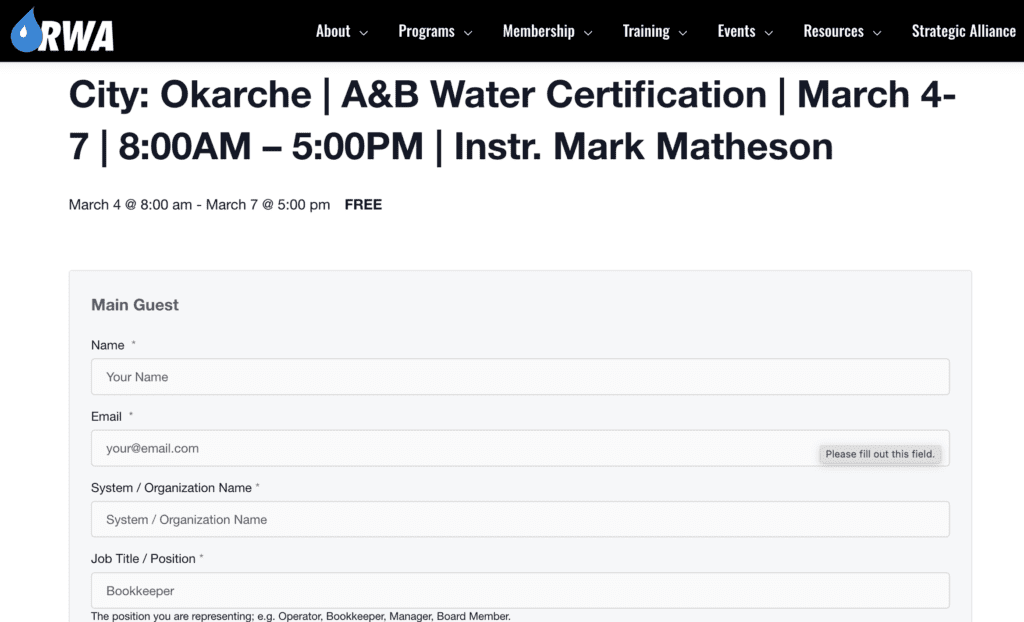
Training Registration Instructions 1. Click Desired Training Course To the right of the training map will be a list of courses. Click the course you’d like to attend. 2. Choose the RSVP Icon If there is not an RSVP icon, the class is full. Click here to register for new training notifications. 3. Click on the Blue GOING Button Clicking the blue GOING icon will bring you to a registration form. 4. Fill out the Form The form contains the details necessary to reserve your spot in the class. 5. Press Finish We look forward to seeing you! Figure 1.0 Figure 1.2 Figure 1.3